Selected work / 10 · Advertising technology
CANNECT.ai
CANNECT connects brands, creators and advertising on physical LED screens. The product spans a creator marketplace, Studio, the marketing AI Canny, creative analysis, A/B testing and reporting. A game is also under development.
I work on CANNECT’s product UX/UI in a part-time role, starting in July 2026. This case presents selected workspace, campaign-setup and reporting examples from that wider work.
- Role
- UX/UI design
- Scope
- Advertising platform
- Engagement
- Part-time
- Period
- July 2026 — present
Selected product walkthrough
12 secondsRecorded product prototype · Light and dark themes.
The challenge
An advertising campaign on physical screens combines a creative asset, several locations, individual schedules and a shared budget. A team needs an overall view of the campaign while retaining control over each placement.
The platform also brings together different kinds of evidence. A creative assessment before launch, a confirmed broadcast and an estimate of audience response answer different questions. The interface needs to keep those meanings distinct rather than presenting every number as a campaign result.
My role & approach
In the campaign setup flow, I organised the journey around dependencies: select a usable video, configure the placements, then review the campaign and its financial commitment.
The current walkthrough shows the workspace, campaign list, creative analysis, analytics and station network. The booking decisions below link to supporting campaign designs from September 2026. Together they describe two levels of the product: understanding what needs attention, then entering a focused flow to make or review a change.
Key UX decisions
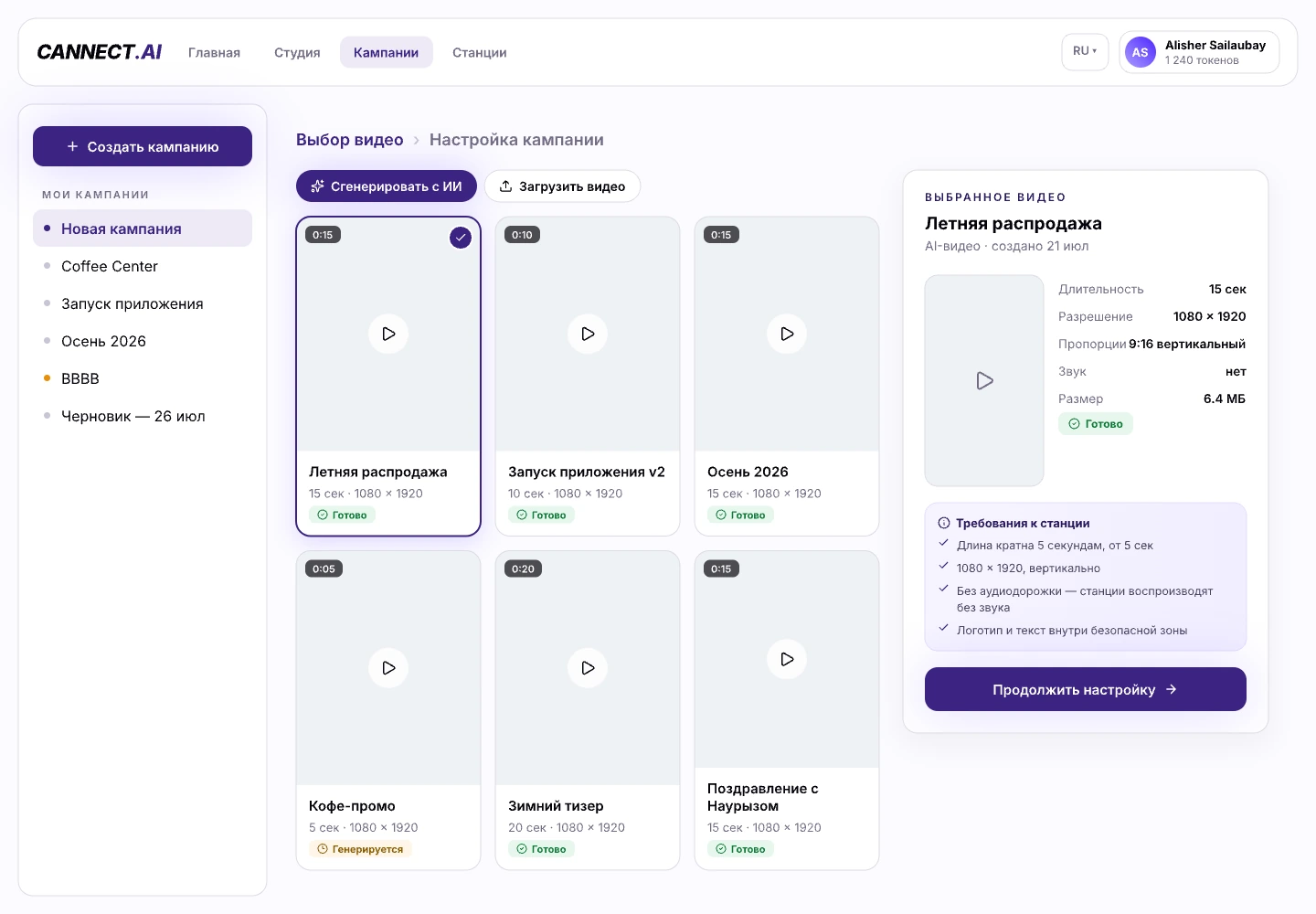
Make readiness visible before setup. The video-selection design shows the chosen asset’s format, duration and readiness alongside station requirements. This puts the suitability of the creative before the work of configuring placements. Inspect video selection
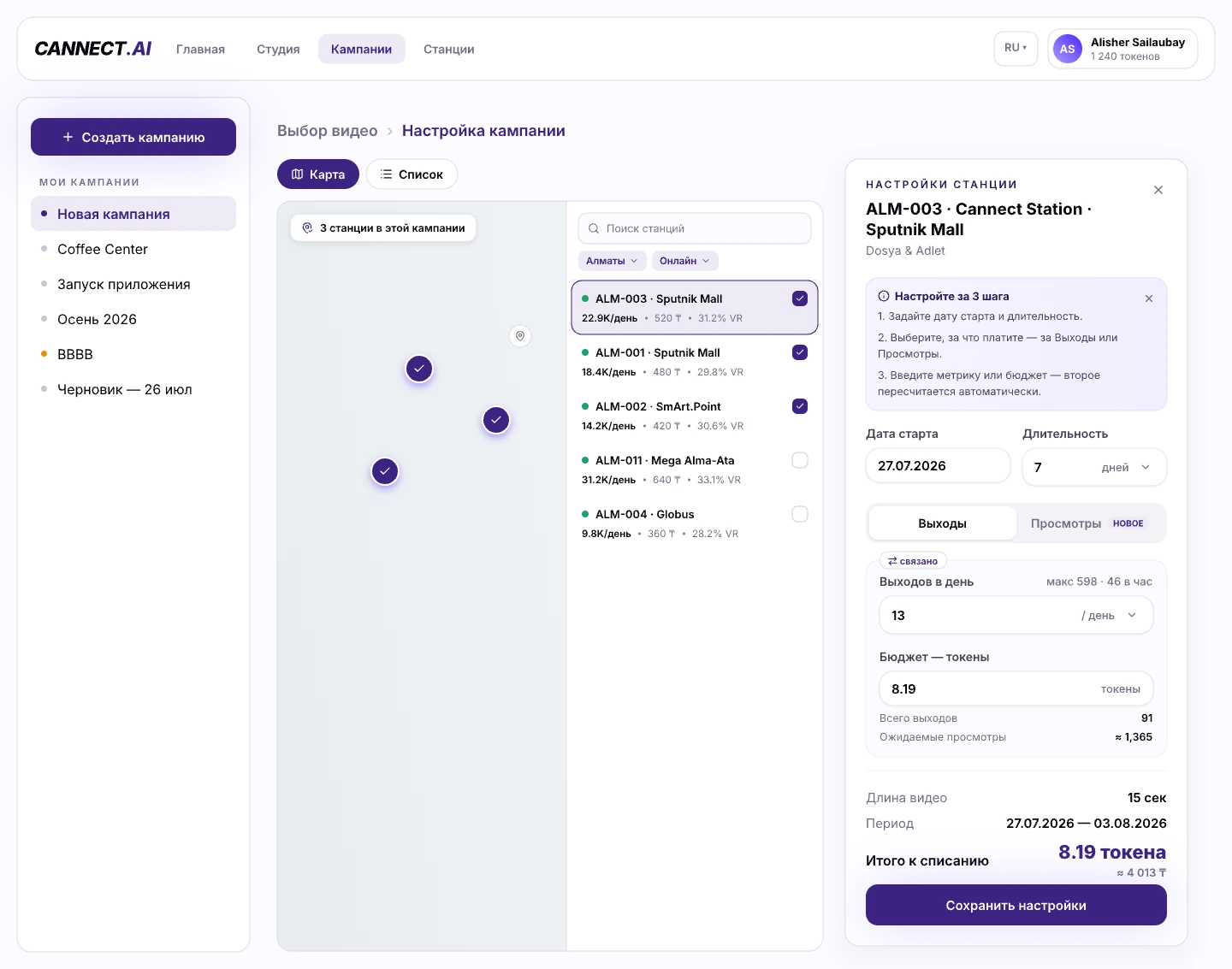
Keep local control within the campaign. The station settings link frequency and budget, with guidance explaining that changing one recalculates the other. The selected-station list remains available while one placement is edited, keeping local choices connected to the overall campaign. Inspect station settings
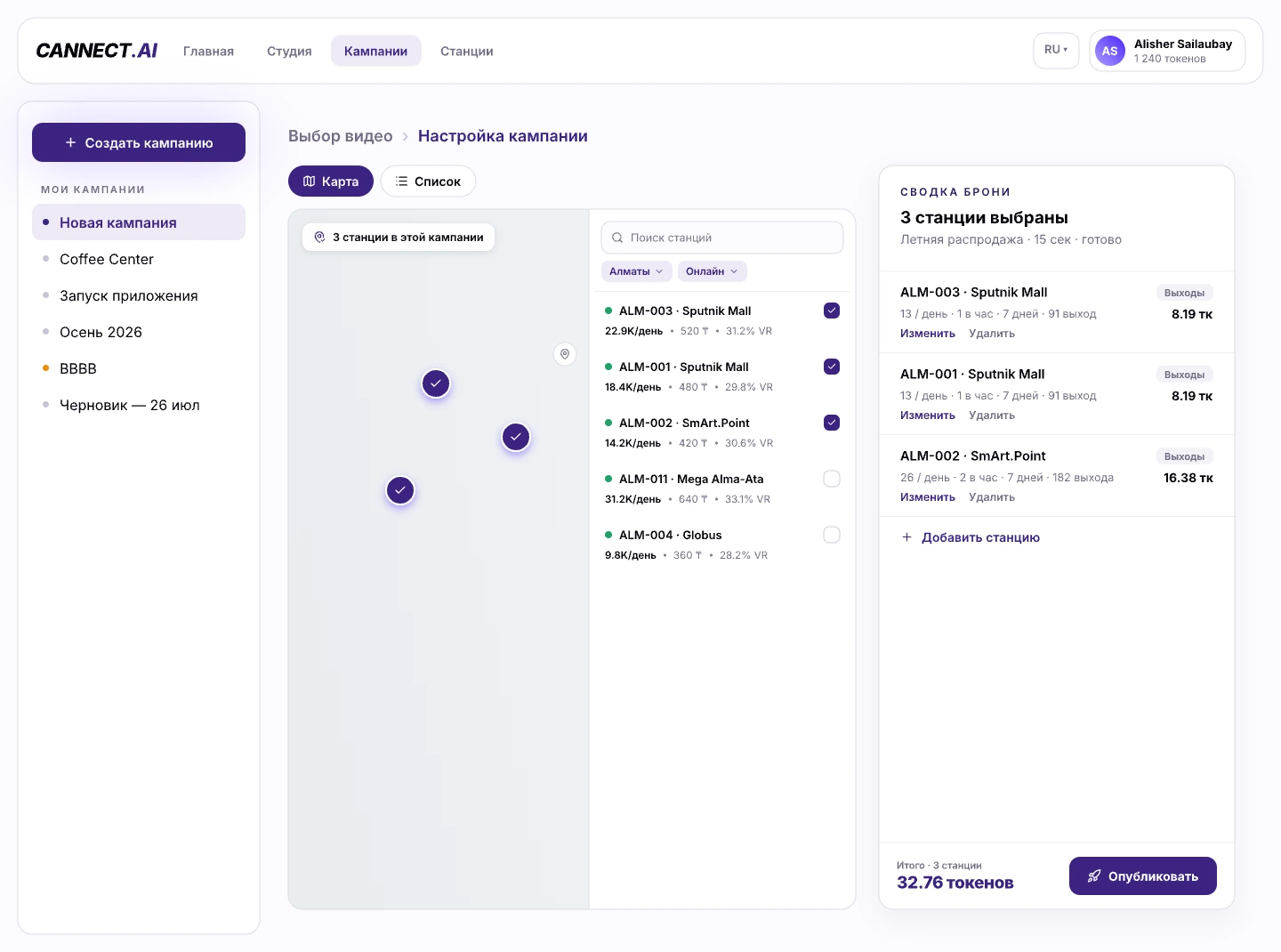
Review the commitment as a whole. A booking summary collects the selected stations, their settings and costs into one campaign total. Publication has a separate balance review, giving the financial consequence a clear place in the flow. Inspect the booking summary
Separate delivery from interpretation. The workspace distinguishes active work, moderation and balances. Reporting differentiates broadcast data from creative assessment and leaves unavailable measures explicit. This avoids giving an incomplete result the appearance of a confirmed one.
Outcome
The selected designs connect campaign preparation, station-level configuration and reporting through a shared workspace. This gives the product a structure for both quick monitoring and detailed setup, while keeping edit and publication decisions distinct.
The supplied recording presents a product prototype in light and dark themes. Its example figures describe interface states; they are not evidence of live advertising delivery or measured campaign performance.