Selected work / 04 · Education & robotics
ArtisanEducation
A learning path built around what you want to create.
I expanded Artisan’s platform from its initial Lesson and Docs modules, independently designing the remaining areas. The selected work connects a student overview, project roadmap and practical coding workspace.
- Role
- Product designer · Sole designer
- Engagement
- Part-time · Redesign
- Period
- March — October 2025
- Starting point
- Lesson and Docs only
Selected prototype walkthrough
21 secondsThe challenge
Artisan combines programming and robotics with practical projects. The product direction was personal: a short questionnaire would capture what a student wanted to build, connect that goal with lessons and projects, and shape an AI-assisted learning plan.
The initial two modules did not yet provide the wider journey around a student’s goal. The task was to create the surrounding platform experience: help students understand the destination, find a next step and move into practical work.
My approach
I designed the missing areas around the connection between a goal, a learning route and a practice task. The student overview provides orientation, the roadmap gives the work a sequence, and the lesson leads into the coding environment.
This meant treating the roadmap and IDE as parts of the same learning experience. The interface needed to provide enough guidance to start a task while leaving space to experiment with code and simulated hardware. My design scope was the platform experience; Artisan’s curriculum and PiBody hardware form the wider product context.
Design decisions
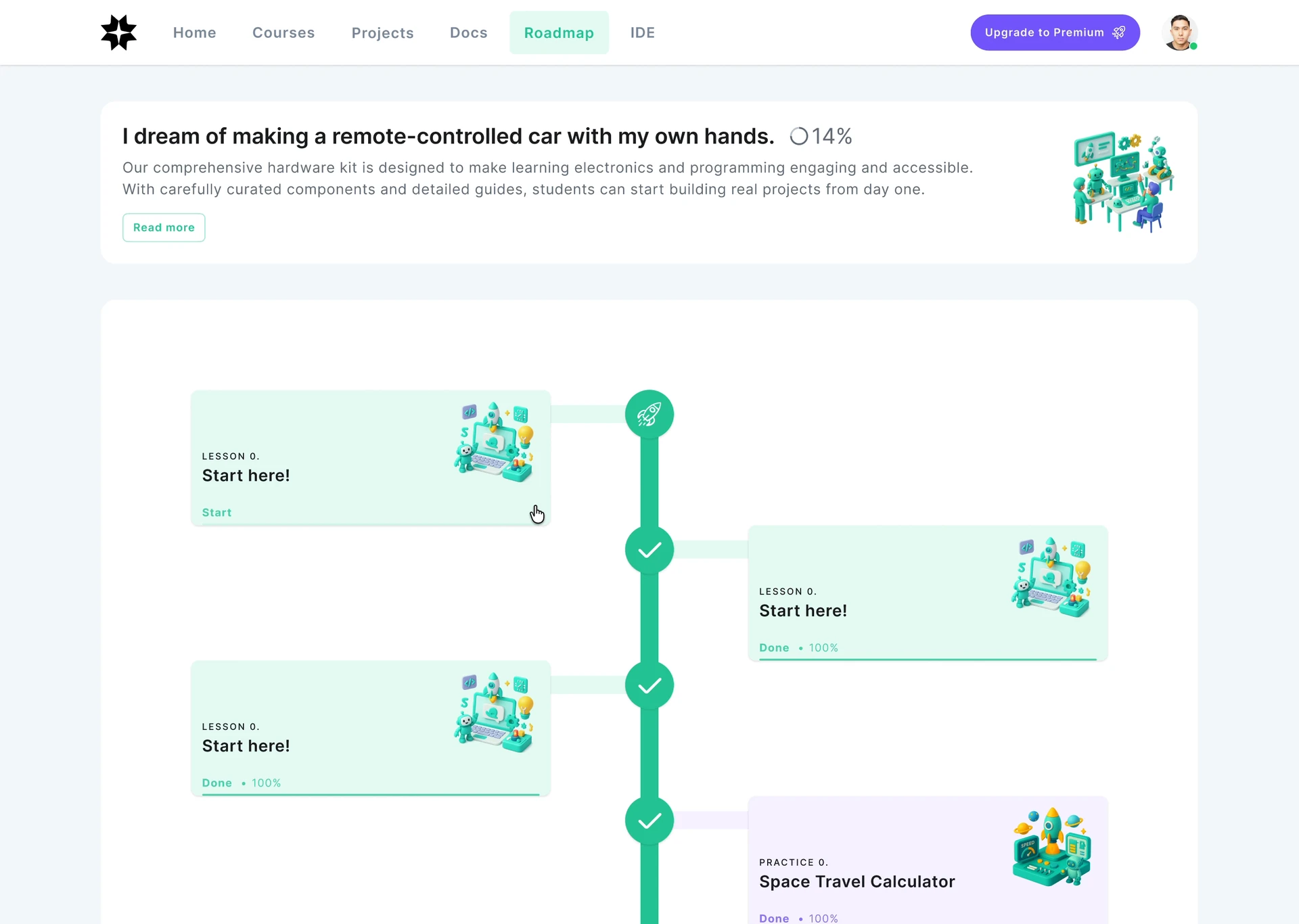
Make the goal visible in the route. The roadmap starts with a concrete project ambition, such as building a remote-controlled car. Lessons, practice and project activities sit along one path. Completion states help explain the relationship between the current activity and the larger goal. Inspect the roadmap
Keep guidance beside the work. The practice workspace places instructions on the left, code and the console in the centre, and the PiBody simulator on the right. Students can refer to the task while editing, then relate their code to the board and its modules. Inspect the practice workspace
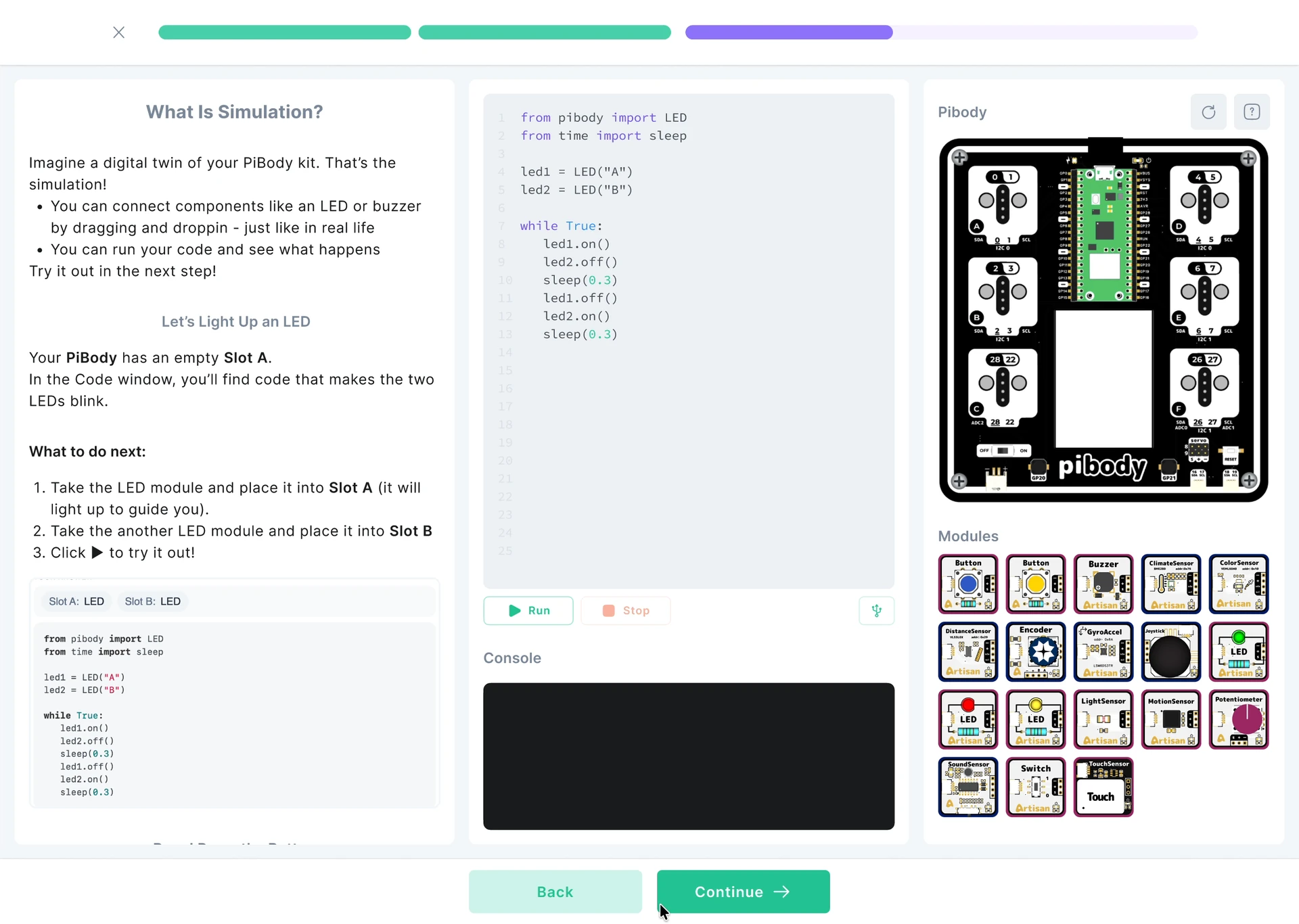
Connect progression with experimentation. Run and Stop belong to the coding task, while Back and Continue belong to the learning sequence. Keeping these actions distinct gives practice its own controls without losing the route through the lesson.
What the work delivers
The work expanded the original Lesson and Docs scope into a connected student experience, adding the overview, project roadmap and integrated coding workspace. The walkthrough shows the resulting route from a learning objective into practical work.
Goal-based personalisation and AI planning describe the broader product direction. The selected work focuses on the student interface that makes the learning route understandable and brings instructions, code and simulation together.